Setting Up Spec-Driven Development for Success
Ever wondered how you can stop "vibe coding" and start building actual value from your ideas in a structured and repeatable way.
The fix isn't a better prompt — it's a better starting setup. Specifically: a repository structure that gives AI assistants structured context, pins the environment so every contributor runs identical tooling, and built in Azure deployment so there's no gap between "works locally" and "running in Azure."
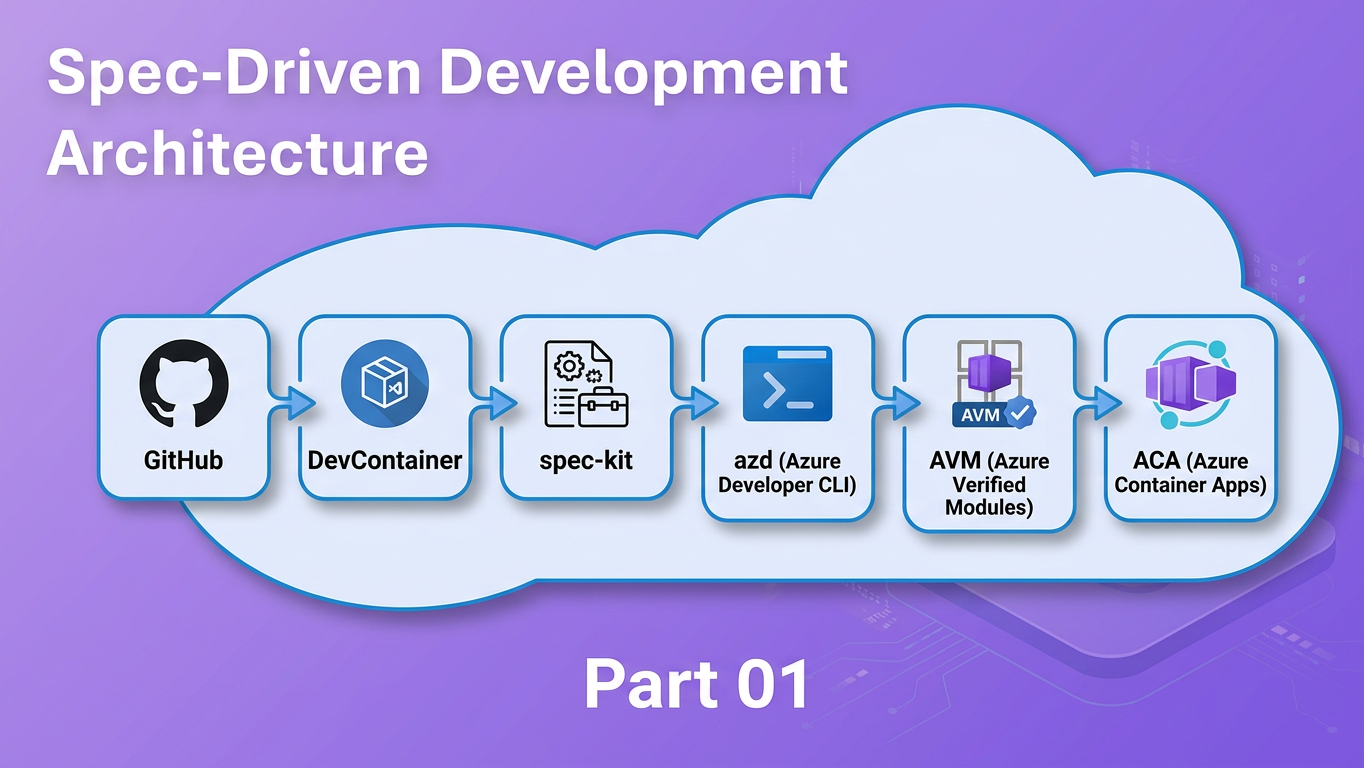
This post shows you how by combining three tools into one workflow:
- spec-kit — a CLI and VS Code workflow that turns vague feature ideas into structured specifications, implementation plans, and dependency-ordered task lists before a single line of code is written
- DevContainers — a VS Code / GitHub Codespaces feature that pins the exact development environment in a
.devcontainer/devcontainer.jsoncommitted to the repository - Azure Developer CLI (
azd) — a CLI that standardises repository layout and enables one-command provisioning and deployment to Azure
Who this is for
Developers building on Azure who are comfortable with Git and VS Code but haven't yet established a structured, AI-assisted development workflow.
Prerequisites
- Git and VS Code installed locally
- Docker Desktop (or Rancher Desktop / Podman Desktop) for running the DevContainer — or access to GitHub Codespaces
- An active Azure subscription (required for the
azd upstep) - A GitHub Copilot license (Individual, Business, or Enterprise) if you want to use the cloud agent path in Step 8
By the end you will have a working repository: containerised for reproducibility, deployable to Azure Container Apps with a single command, and pre-wired for the full spec-kit SDD pipeline.